
The Simple Field Service Business Website Checklist
-

-
-

06 May, 2026
-

11 min read
-

Most field service business owners built their website once and moved on. A developer or a friend put it together, it went live, and now it sits there doing a job — or not doing one — while the business gets on with more pressing things.
The problem is that websites quietly break, date themselves, and stop converting visitors into enquiries without anyone noticing. A contact form stops working. A phone number changes but the website doesn't. Service areas get updated in conversation but not online. Testimonials from 2019 are still the ones on the homepage.
None of this requires technical knowledge to fix. It just requires someone to sit down with the website every few months and go through it deliberately.
This checklist is that. Work through it once, fix what needs fixing, then set a reminder to repeat it every quarter.
Table of Contents:
- The basics: what every field service website needs
- The phone test (do this now)
- Things that damage trust without you realising
- Your quarterly website checklist
- What to do when you find a problem
- The Google Business Profile check
- A simple way to stay on top of this
The basics: what every field service website needs
Before periodic checks, make sure these fundamentals are in place.
Your phone number is visible on every page. Not buried in the footer. Not only on the contact page. On every single page, ideally at the top where someone on a mobile can tap it and call immediately. Most of your visitors are on phones. Make calling you one tap.
Your service area is clearly stated. "Covering the South East" is vague. "Covering Surrey, Kent, and East Sussex" tells a potential customer immediately whether you're relevant to them. List the counties, towns, or postcodes you cover. If a customer in the wrong area contacts you, you've wasted both their time and yours.
Your services are listed with enough detail. A page that says "we offer plumbing services" tells a customer almost nothing. "Boiler installation, boiler servicing, leak detection, bathroom fitting, and emergency callouts" tells them whether you do what they need. Be specific. Don't make people guess.
There's a clear call to action on every page. What do you want someone to do when they land on your website? Call you. Fill in a form. Request a quote. Whatever it is, say so — and say it more than once. A rule of thumb from web designers who study this: there's never really enough calls to action. Every page should have at least one obvious next step at the top, somewhere in the middle, and at the bottom. Make it easy to take.
Your contact form actually works. Test it right now if you haven't recently. Fill it in, submit it, and check whether you receive the email. Contact forms break more often than you'd think — plugin updates, hosting changes, email filter issues. If your form has been silently failing for three months, you've lost every enquiry that came through it.
Your homepage orients visitors immediately. You've only got a few seconds before someone decides whether they're in the right place. Your homepage needs to tell them what you do, where you do it, and what to do next — fast. If a visitor has to spend time working out what your business actually offers, they won't. Your competitors are one click away.
A practical 2026 website checklist covering the foundations most small businesses overlook — from HTTPS and mobile usability to page speed and analytics.
The phone test (do this now)
Here's something a lot of business owners never do: pull up their own website on their phone.
Most websites get built on a desktop, reviewed on a desktop, and then forgotten about. But over 60% of web traffic is now on mobile devices, and field service customers searching for a local heating engineer or electrician are almost certainly doing it from their phone.
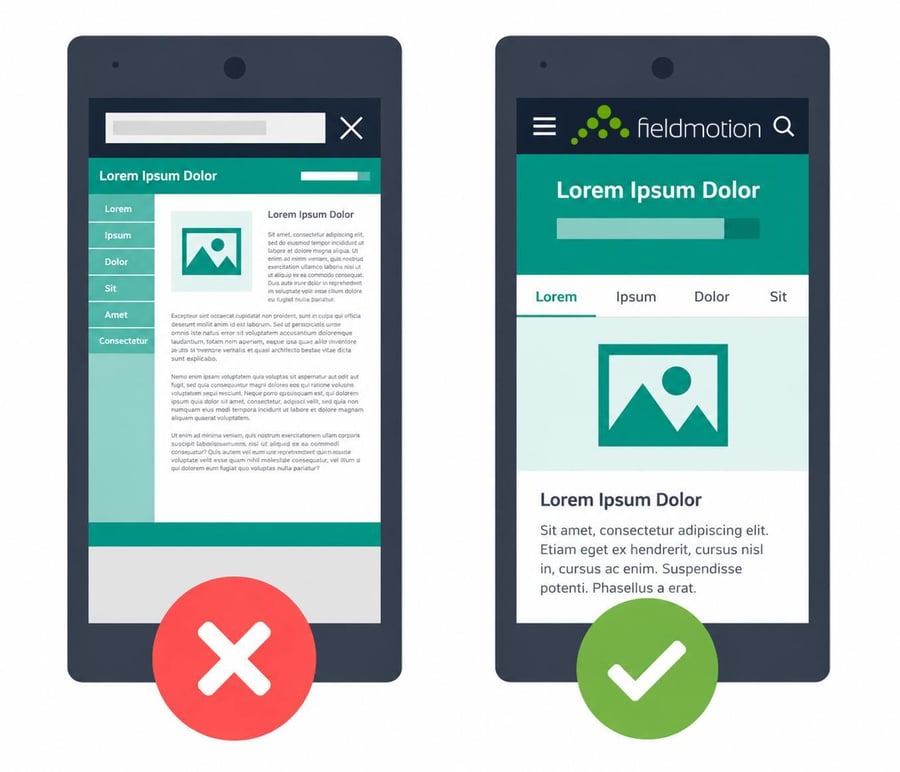
Pick up your phone and navigate your website as a customer would. Ask yourself: can you read the text without zooming in? Are the buttons easy to tap, or do they require a precise finger? Does the phone number click to call? Does the contact form work without having to scroll sideways?
Most website builders are mobile responsive by default. But responsive doesn't mean it looks good. It means it technically adjusts. You still have to check it manually, because what looks fine on a desktop can be a confusing mess on a phone. Even one frustrating moment is enough for someone to give up and call the next result on Google.
While you're doing this, check every page. Service pages, the contact page, any blog posts you have. All of it needs to work properly on a small screen. All of it needs to work properly on a small screen.
Things that damage trust without you realising
Outdated testimonials. A five-star review from 2018 doesn't carry much weight with someone reading it today. If your newest testimonial is years old, it sends a signal — even if unintentional — that you haven't done work worth talking about recently. A good testimonial tells a short story: the customer's situation before you arrived, the problem, what you did, and the result. Freshen them up regularly. Ask satisfied customers directly and make it easy by sending a link to your Google Business Profile. Video testimonials carry even more weight than written ones if you can get them.
Stock images of strangers. Generic photos of smiling people in hard hats who clearly don't work for you undermine the professional impression you're trying to create. Even a handful of recent photos taken on a phone — a completed job, your van, your team — do more for credibility than stock imagery. Authenticity counts. Customers choosing a tradesperson are making a trust decision, and photos of real people doing real work help with that.
No information about who you are. An About page that says "we are a family business committed to quality service" wastes an opportunity. Share how long you've been trading, what you specialise in, any qualifications or accreditations you hold, and a photo of the person or team behind the business. Customers want to see who's coming to their home or premises.
Accreditation logos that are out of date. If you display Gas Safe, NICEIC, NAPIT, Checkatrade, or any trade body logo, make sure your registration is current. An expired accreditation displayed on a website is worse than no accreditation at all.
Prices that no longer reflect what you charge. If you list pricing on your website and those prices have changed, update them. Even if you can't list exact prices — which is common for jobs that require a site visit — you can mention ballpark ranges or a starting price. Customers are trying to work out if you're in their budget. Giving them nothing sends them somewhere else that will.
A padlock missing from your address bar. Your website address should start with HTTPS, not HTTP. If it doesn't, visitors see a "not secure" warning in their browser before they've read a single word about your business. Most modern websites handle this automatically, but it's worth checking. Look at the address bar when you load your site — there should be a padlock symbol. If there isn't, contact whoever hosts your site and ask them to sort an SSL certificate.
Inconsistent branding. Your logo, colours, and general look should feel the same whether someone lands on your homepage, a service page, or an older blog post. Inconsistency signals unprofessionalism even if every individual page looks fine on its own.
Your quarterly website checklist
Set a reminder every three months and work through these. Most take minutes.
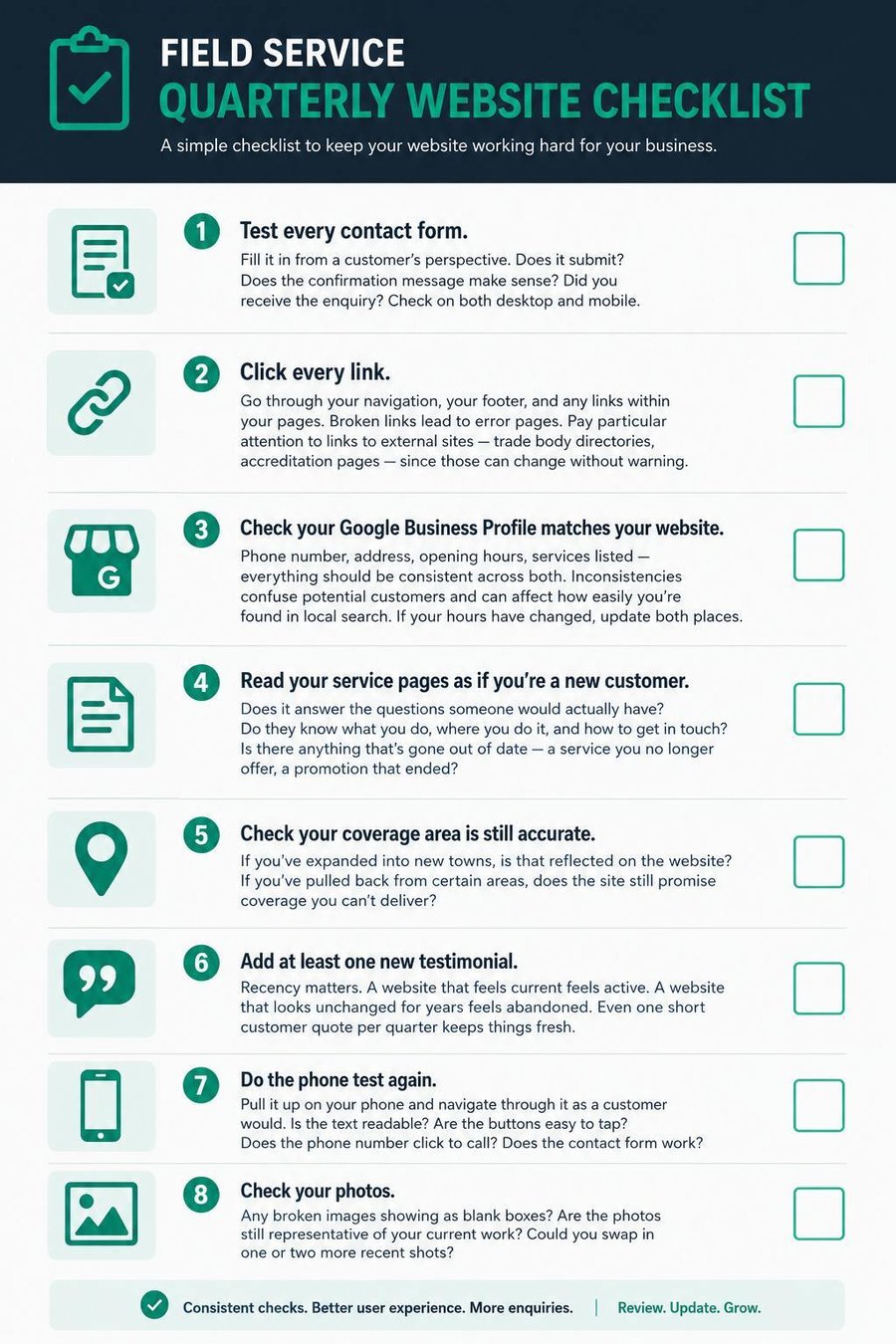
Test every contact form. Fill it in from a customer's perspective. Does it submit? Does the confirmation message make sense? Did you receive the enquiry? Check on both desktop and mobile.
Click every link. Go through your navigation, your footer, and any links within your pages. Broken links lead to error pages. Pay particular attention to links to external sites — trade body directories, accreditation pages — since those can change without warning.
Check your Google Business Profile matches your website. Phone number, address, opening hours, services listed — everything should be consistent across both. Inconsistencies confuse potential customers and can affect how easily you're found in local search. If your hours have changed, update both places.
Read your service pages as if you're a new customer. Does it answer the questions someone would actually have? Do they know what you do, where you do it, and how to get in touch? Is there anything that's gone out of date — a service you no longer offer, a promotion that ended?
Check your coverage area is still accurate. If you've expanded into new towns, is that reflected on the website? If you've pulled back from certain areas, does the site still promise coverage you can't deliver?
Add at least one new testimonial. Recency matters. A website that feels current feels active. A website that looks unchanged for years feels abandoned. Even one short customer quote per quarter keeps things fresh.
Do the phone test again. Pull it up on your phone and navigate through it as a customer would. Is the text readable? Are the buttons easy to tap? Does the phone number click to call? Does the contact form work?
Check your photos. Any broken images showing as blank boxes? Are the photos still representative of your current work? Could you swap in one or two more recent shots?
To make it easy to act on, we've turned the quarterly checklist into a one-page graphic you can print and keep somewhere visible. Stick it above your desk, pin it in the office, or save it to your phone. Three months goes faster than you think.
One page that field service businesses often overlook is a proper FAQ section, or skip entirely in favour of a generic contact form.
An FAQ page isn't just a list of obvious questions. Done properly, it handles the objections customers have before they've even picked up the phone. Price questions. What area do you cover? Are you Gas Safe registered? How quickly can you come out? How does the quoting process work? These are the questions that determine whether someone calls you or moves on.
A useful trick: write out every objection you hear regularly on the phone and then write the FAQ answer to each. That page then pre-handles objections before anyone has spoken to you, and customers who weren't going to work with you often figure that out without taking up your time.
What to do when you find a problem
If you built the website yourself using a platform like Wix, Squarespace, or WordPress with a page builder, most fixes are easy to make yourself: update text, swap an image, replace a link.
If a developer built your site and you don't have editing access, this is worth addressing. You should be able to make basic content updates (phone numbers, service descriptions, testimonials) without paying developer fees every time. Ask your developer to either give you content editing access or show you how to request small changes quickly.
If your website is genuinely out of date to the point where a checklist like this won't fix it (old branding, no mobile optimisation, a platform that's no longer supported), it's worth a proper conversation about rebuilding. The cost of a lost enquiry every week adds up faster than most website projects.
The Google Business Profile check
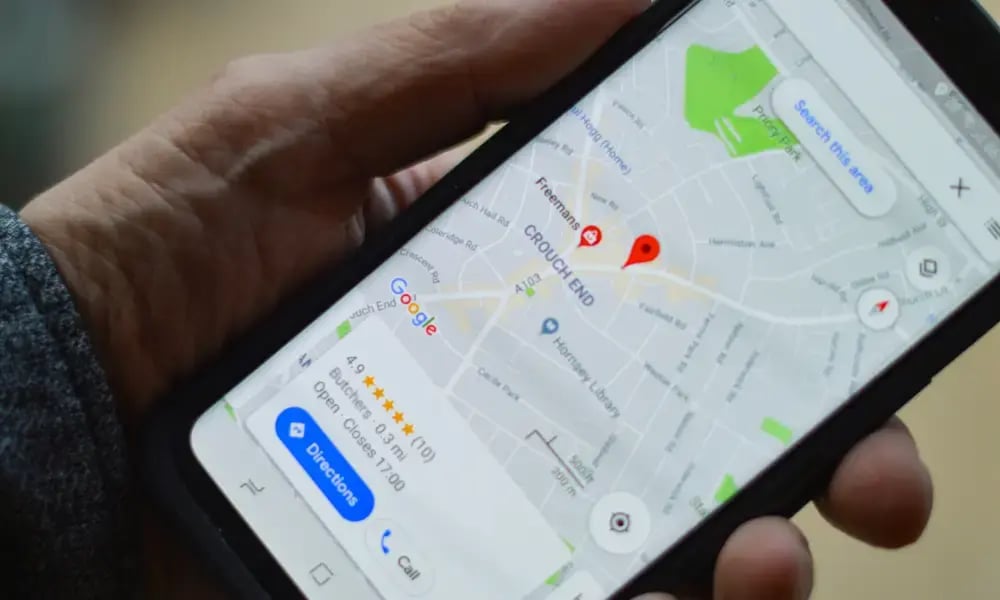
Your Google Business Profile is effectively a second website. Many customers see it before they ever reach your actual site, and in local search it often matters more than your website itself.
Every quarter, check:
-
Business name, address, and phone number are correct
-
Opening hours are accurate (including any seasonal variations)
-
Services listed match what you actually offer
-
Photos are up to date (add new ones regularly)
-
You've responded to any unanswered reviews, positive or negative
-
The link to your website actually goes to the right page
Once or twice a year, check:
-
Your business description still reflects what you do and where you do it
-
Your primary business category is the most accurate one available
-
Any services you've added or removed are reflected
A Google Business Profile that's accurate, active, and well-reviewed consistently outperforms competitors whose profiles were set up and forgotten. It costs nothing to maintain. For a local field service business, that makes it one of the best free tools available.
A simple way to stay on top of this
Put a recurring calendar reminder for the first Monday of every quarter: "Website check." Block 45 minutes. Work through the checklist above.
No tools. No software. No technical knowledge required. Just a bit of time and a fresh pair of eyes on something most of your competitors are ignoring.
Your website is often the first impression a potential customer gets of your business. It should reflect the quality of the work you actually do.
Related reading:
-
How customers are choosing field service providers before they call — what customers check before they make contact
-
How field service businesses can protect their online reputation — reviews, trust signals, and managing what people find
-
How fast you respond to enquiries is costing you more jobs than you think — what happens after someone finds you and reaches out
-
How to set a marketing budget for a field service business — making sure the money you spend on getting found isn't wasted by a weak website
-
10 metrics every growing field service business should track — the numbers that tell you whether your online presence is working


