• INVOICING

Job done. Invoice sent. Money in faster.

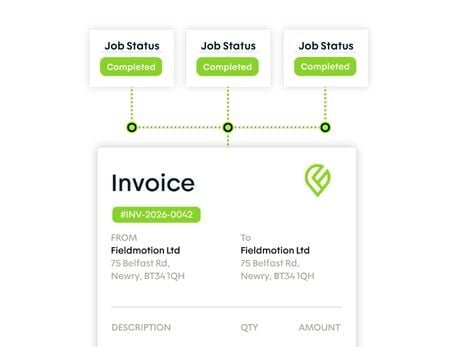
When paperwork comes back days late, or not at all, jobs go uninvoiced. Fieldmotion closes the gap by raising invoices directly from completed jobs, the same day the work is done.

  • iOS & Android App
  • Works offline
cursor
Nothing Missed

When the job sheet arrives the moment the engineer hits complete, there's nothing to chase and no job goes unbilled.

cursor
Accounts Synced

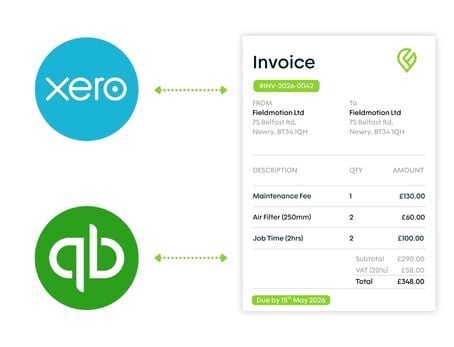
Invoices sync directly to Xero, QuickBooks, or Sage on creation. No exports, no imports, no manual matching.

cursor
Multi-Job Invoices

Link multiple jobs to a single invoice where they share the same customer or site, useful for commercial accounts consolidating at billing time.

cursor
Recurring Invoices

Set up recurring invoices for service contracts and let Fieldmotion generate and send them on schedule.

WHAT’S INCLUDED

Invoice, Sync & Get Paid

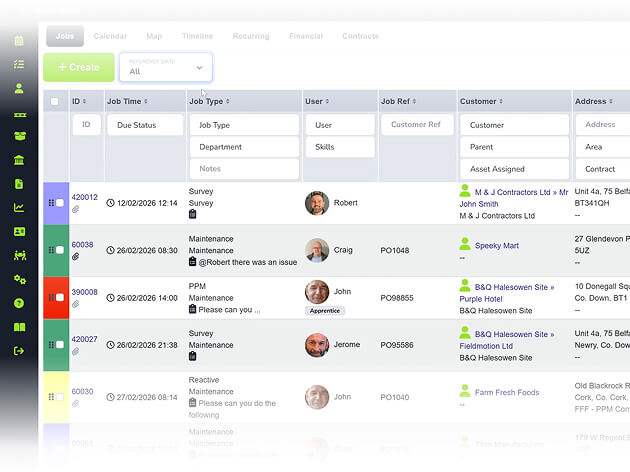
When paperwork comes back late, jobs go uninvoiced. When it never comes back, the revenue disappears entirely. Fieldmotion closes the gap. Every completed job has a full cost record and an invoice ready to send the same day.

Invoice from a Completed Job

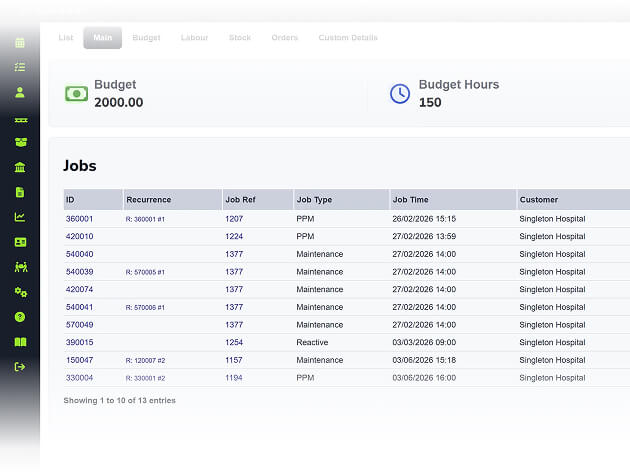
When a job closes, the parts used, labour time, and any additional costs are already on the record. Converting to an invoice takes one action. 

  • ico
    Invoice from the job with all costs pre-populated
  • ico
    Customise templates with your branding
  • ico
    Email the invoice and job sheet in one step
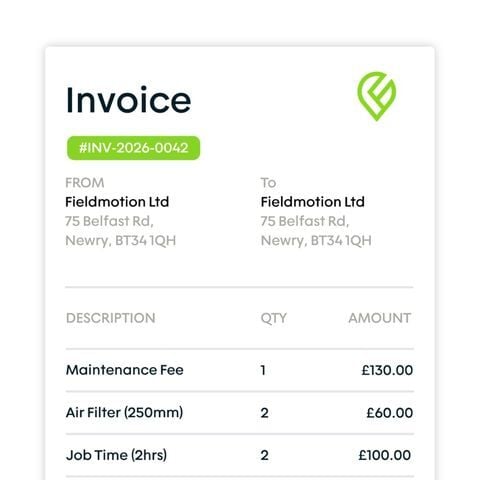
invoice from a completed job

Recurring and Consolidated Invoicing

For contract customers and high-volume accounts, Fieldmotion automates the invoicing cycle so billing runs without office input each period. 

  • ico
    Set recurring invoices on any billing frequency
  • ico
    Combine multiple jobs into one invoice
  • ico
    Automated reminders to chase payments
recurring and consolidated invoicing

Accounts Integration and Reporting

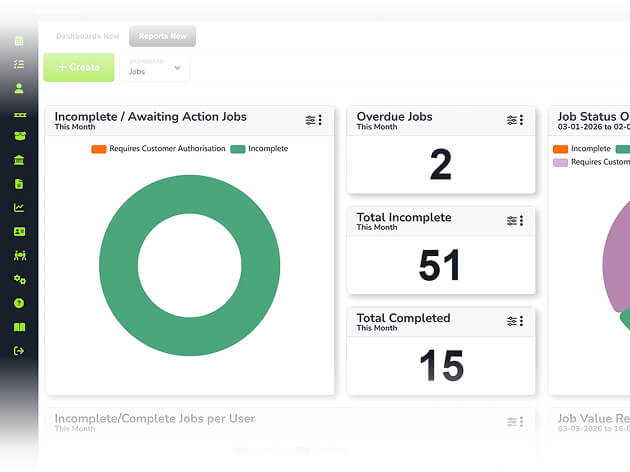
Invoices sync to your accounting package automatically and Fieldmotion's reporting tools show what's outstanding, what's been paid, and where revenue is coming from. 

  • ico
    Two-way sync with Xero and QuickBooks
  • ico
    Export invoices to Sage or other packages
  • ico
    Reports show overdue accounts and revenue
accounts integration and reporting
Group 1

THE PROCESS

How It Works

  • Engineer completes the job in the app. Parts, time, and notes are logged automatically.
  • Office staff review and convert the job to an invoice in one click, with all costs pre-populated.
  • Invoice is sent to the customer and pushed to your accounting package in one action.

ROI SNAPSHOT

Quick Estimate of the impact on your Business

Fill in the fields below and generate your custom estimate.

Phone calls, back-and-forth, manual updates

Your Estimated ROI

Based on 230 working days

Fill in your numbers to see where time and money are slipping away.

SOFTWARE INTEGRATIONS

Works with all the tools you already use

  • xero
    Syncs with customers, invoices, and payments
  • quickbooks
    Syncs with customers, invoices, and payments
  • sage
    Syncs with customers, invoices, and payments

CLIENT RESULTS

Our Customers See Real Impact

"Fieldmotion has given the business comfort that there is a software solution available to us, and a support structure in place behind it that epitomises great customer service."
autor
Kevin Gray

Operations Director, Just Energy Solutions

  • 0%

    admin reduction

  • 0x

    faster invoicing

  • +0%

    on-time arrival

FAQs

Can invoices be raised directly from the mobile app in the field?

Engineers can close jobs and flag them ready for invoicing from the app. Depending on your permission settings, invoicing can also be completed directly in the field, which suits simpler jobs where same-day payment is expected. For most teams, invoicing is reviewed and sent from the office once the job record has been checked.

How does invoicing work for customers with multiple sites or high visit volumes?

Fieldmotion supports consolidated invoicing, where multiple jobs across different sites are combined into a single invoice for the customer. You can set consolidation rules per customer (weekly, monthly, or per contract) so commercial clients with high visit volumes get a clean, single invoice rather than one per visit.

Can Fieldmotion handle recurring invoices for service contracts?

Yes. Recurring invoices are set up once against a contract and generated automatically at the billing frequency you specify: monthly, quarterly, or annually. Automated payment reminders can also chase outstanding invoices without your team manually tracking who owes what.

What accounting packages does Fieldmotion integrate with for invoicing?

Fieldmotion has two-way live integration with Xero and QuickBooks Online. Invoices sync automatically and changes in the accounting package reflect back in Fieldmotion. For Sage 50, invoices can be exported in a compatible format for import without re-keying.