
The Real Guide to Going Paperless for Field Service Companies
-

-
-

15 Jun, 2026
-

12 min read
-

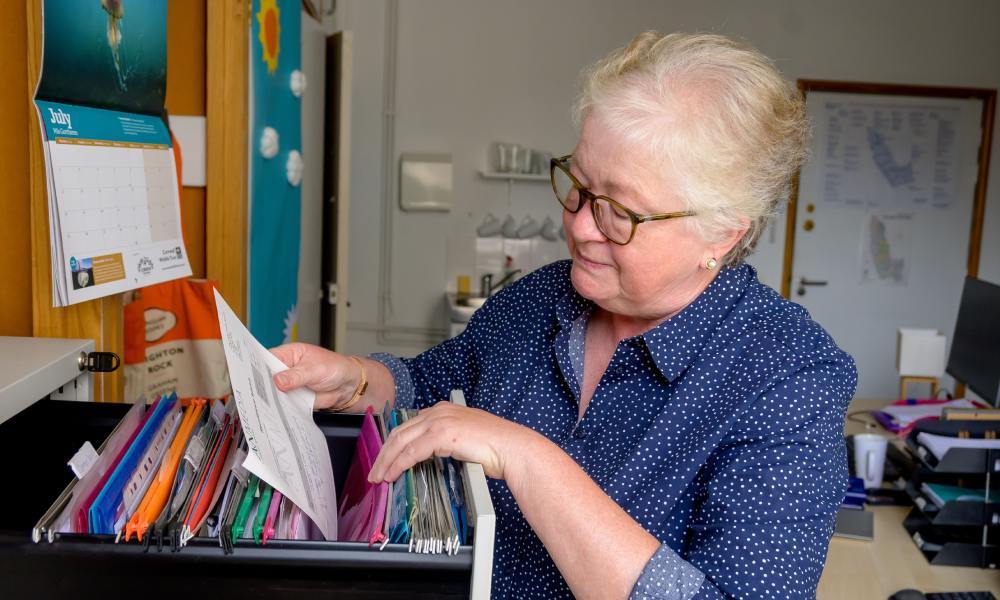
Most advice about going paperless assumes the paperwork stays put. A filing cabinet in the corner. A stack of invoices on a desk. A cupboard full of folders waiting to be scanned.
That is not how paperwork behaves in a field service business.
Your paperwork spends half its life travelling around in vans. Job sheets get completed on driveways and in plant rooms. Customer signatures sit on clipboards. Forms come back crumpled, stained, or occasionally not at all. By the time the office sees them, the job was finished days ago.
Which is why going paperless has very little to do with getting rid of filing cabinets.
The real issue is the gap between work happening and the office knowing about it. Every time a completed job sheet sits in a van for three days, invoicing waits three days. Updates wait three days. Problems wait three days.
A paperless field service business closes that gap. Information moves from the engineer's phone straight into the office, while the job is still fresh rather than after the paperwork finally makes its way back.
This guide explains what going paperless actually looks like for a field service company, where the biggest gains come from, and how to make the switch without turning the business upside down.
Table of Contents:
- What “paperless office” really means
- Why bother to go paperless
- The mistake that sinks most attempts
- The people problem is the real problem
- What you actually need
- A sensible order to do it in
- The bottom line
- FAQs
What "paperless office" really means
Let us clear up the biggest misconception first. A paperless office does not mean zero paper. It means less paper, and specifically, it means your real work no longer depends on paper to move through the business.
An engineer can still scribble a part number on the back of their hand. Someone in the office can still keep a notebook. A handful of documents, signed contracts, certain certificates, anything you are legally required to retain in original form, will stay physical, and that is fine. Worth knowing here: HMRC and company law generally require businesses to keep accounting records for at least six years, and digital copies are accepted as long as they are accurate and readable, so scanning and storing is usually enough for the rest. If you want the statutory basis, the duty to preserve accounting records is set out in UK companies legislation. What changes is everything else: the job sheets, the risk assessments, the photos, the customer sign-offs, the timesheets, the quotes. Those stop being paper and start being data the moment they are created.
That distinction matters because "no paper ever" is a goal nobody hits, and chasing it is how people give up in week two. Aiming for "the job no longer travels on paper" is achievable, and it is where almost all the value sits.
Why bother to go paperless
The environmental angle gets mentioned in every article on this subject, and it is true as far as it goes. But it is rarely what convinces a business owner. The reasons that actually move the needle are operational and financial.
You get paid faster. This is the big one. In a paper business, a completed job becomes an invoice only after the sheet physically arrives back at the office, gets typed up, and gets sent out. That is often a week of dead time before the clock on payment even starts. When the job sheet is digital, the invoice can be generated the moment the engineer marks the work complete. Cutting days out of that cycle does more for cash flow than chasing late payers ever will, and if you are still doing the chasing, our guide to getting paid on time covers that side too.
You stop losing information. Every field service owner knows the feeling of a job sheet that never came back. With paper, a lost sheet means a job you cannot invoice, a warranty claim you cannot defend, or a compliance record you cannot produce. Digital records do not fall behind a van seat. They are filed the instant they are completed, searchable in seconds, and backed up automatically.
You reclaim office time. A surprising amount of admin is just paper-handling: typing up sheets, filing them, hunting for the one from last March, re-keying the same customer details into three systems. Remove the paper and a lot of that work simply disappears. The people doing it get their week back for something that actually grows the business.
You make your data usable. This is the benefit people only notice once they have it. Once your jobs live as data rather than paper, you can finally see what is happening across the business: which jobs make money, which engineers are most productive, where time is being lost. That is the difference between a business that reacts and one that plans, and there is more on that in our piece on what your field service data can tell you.
The mistake that sinks most attempts
Here is where most paperless projects fail, and it has nothing to do with technology.
People treat it as one enormous job. They decide that going paperless means scanning ten years of archived files before they can start, and the sheer size of that task means they never start at all. Or they flip the whole business over in a single week, every engineer, every process, all at once, and the chaos sends everyone running back to their clipboards.
Do not do either. The archive can wait, in most cases it can wait forever, because the old files you have stored away are rarely looked at again. What matters is everything from today forward.
So start small. Pick one thing and make it digital. The cleanest place to begin is usually the job sheet itself, because it sits at the centre of everything else: it is what the engineer fills in, what the invoice is built from, and what proves the work was done. Move that one document to digital, get it working properly, let your team get comfortable with it, and only then spread outward to quotes, timesheets, risk assessments, and the rest. One process at a time. The momentum builds itself once people see the first one working.
If you are not sure where your own bottleneck is, the job sheet is a safe bet, and we have written separately on what a good job sheet should contain and the difference between a job sheet and a job card.

The people problem is the real problem
When this works, it works because of people. When it fails, it fails because of people. The technology is almost never the hard part.
Every team has two types when it comes to change. Some will take to it immediately, glad to stop carrying paper around. Others will resist, and they will resist for reasons that are not always obvious. Some are simply creatures of habit who have done it the same way for fifteen years. Others quietly guard the way things work because being the only person who understands the current process gives them a kind of job security. If everything lives in one person's filing system and one person's head, that person feels safe, and a new system threatens that.
You cannot bulldoze past this. You have to bring people with you. Explain why the change makes their day easier, not just yours. Show them the bit that helps them personally, the engineer who no longer has to drive back to the office to drop off paperwork, the office staff who no longer re-key the same job three times. Train people properly rather than dropping a new app on them and hoping. Expect a transition period, and be patient through it. Get this part right and the rest follows. Get it wrong and the best software in the world will sit unused.
What you actually need
The toolkit is simpler than the generic guides make out, because a good field service platform replaces most of the separate pieces those guides recommend buying.
A mobile app for the field. This is the heart of it. Your engineers need to capture everything on a phone or tablet at the point of work: fill in the job sheet, take photos, record parts used, capture the customer's signature on the screen. Because it syncs back to the office automatically, the information arrives the moment the job is done, not the moment the van does. A good app also works offline and syncs later, which matters when the job is in a plant room or a basement with no signal.
Cloud storage with proper backup. Digital records are only safe if they are backed up and reachable from anywhere. A single copy on one office computer is a disaster waiting to happen. Cloud storage gives you both: nothing is lost if a device fails, and your team can pull up any record from any location.
A way to turn completed work into invoices quickly. The faster a finished job becomes an invoice, the faster you are paid, so this should be close to automatic rather than a separate re-keying job.
One important note for UK and Ireland businesses: check where your data is actually stored. Some cheaper services hold your data outside the UK or EU without the protections you are obliged to maintain, and if you are handling customer details that has real implications under data protection law. The UK's regulator, the Information Commissioner's Office, publishes plain-English data protection guidance for small businesses that is worth a read, particularly as new rules under the Data (Use and Access) Act 2025 are now coming into force. Make sure your provider stores data in the right place and can tell you so plainly. Security generally deserves attention from the start rather than bolting on later, and our piece on cybersecurity for field service businesses is a sensible place to read more.
For the occasional document that still arrives on paper, you do not need a dedicated scanner. A phone camera and a scanning app will turn it into a searchable digital file in seconds, which is all most field businesses need.

A sensible order to do it in
If you want a rough sequence rather than a single leap, this works for most field service businesses:
Start with the job sheet, since it anchors everything else. Once engineers are capturing jobs digitally in the field, connect that to invoicing so completed work turns into a bill without delay. Bring quotes and customer communication across next, so the whole customer-facing trail is digital from first contact to final payment. Then move the internal paperwork, timesheets, risk assessments, stock and parts records. Leave the historic archive until last, and only tackle it if you genuinely need it; for many businesses, the old boxes can simply stay in storage until retention periods run out and they can be destroyed.
At each stage, get the current step working and accepted before you move to the next. Going paperless is a series of small, finished changes, not one heroic weekend.
The bottom line
For a field service business, going paperless is not a tidiness exercise and it is not about the environment, though it helps there too. It is about closing the gap between work being done and the business knowing about it. Paper opens that gap to days. Digital closes it to minutes.
You do not need to be perfect about it, you do not need to scan a decade of archives, and you do not need to change everything at once. You need to pick one process, usually the job sheet, make it digital, bring your team with you, and build from there. Do that, and within a few months the paper that used to ride around in your vans will be the strange exception rather than the rule, and you will wonder how you ever ran the business the other way.

FAQs
How do you create a paperless office?
Start with one process rather than the whole business. For a field service company the best place to begin is the job sheet, because it sits at the centre of everything else: it is what the engineer completes, what the invoice is built from, and what proves the work was done. Move that one document to a digital app, get your team comfortable with it, then spread out to quotes, timesheets, risk assessments and the rest, one process at a time. Leave the historic paper archive until last, or skip it entirely if you rarely look at those old files.
What is a paperless office system?
It is the set of tools that lets your business run without depending on paper to move information around. For a field service firm that usually means three things working together: a mobile app so engineers capture jobs, photos and signatures on a phone or tablet in the field; cloud storage so those records are backed up and reachable from anywhere; and a way to turn completed jobs into invoices quickly. A good field service platform combines all three, which is why most businesses do not need to buy the separate scanners, filing apps and storage tools that generic guides recommend.
Is a paperless office more efficient?
For field service businesses, yes, and the efficiency shows up in two specific places. The first is getting paid: when a job sheet is digital, the invoice can go out the moment the work is marked complete, instead of waiting days for paper to come back and be typed up. The second is admin: the time your office spends filing, re-keying and hunting for lost sheets mostly disappears. The efficiency gain is less about saving paper and more about closing the gap between work being done and the business acting on it.
How long does it take to go paperless?
There is no fixed timeline, and that is the point. Treating it as one enormous project is how most attempts fail. A more reliable approach is to move one process at a time, get it working and accepted before starting the next, and let the change build over a few months. Many businesses have their core field work running digitally within weeks, then bring across quotes, internal paperwork and the rest at a comfortable pace afterwards.
Do you need to get rid of all your paper?
No. A paperless office means less paper, not none. Some documents, such as signed contracts and certain certificates, may need to stay in original form, and there is nothing wrong with an engineer jotting a note or the office keeping a notebook. The goal is simply that your real work no longer depends on paper to travel through the business. Hit that, and the paper that remains becomes a rare exception rather than the thing the whole operation runs on.


