• ACCOUNTS INTEGRATION

Stop re-entering data. Let your systems talk.

Connect Fieldmotion to Xero, QuickBooks, or Sage. Invoices, customers, and stock values sync automatically so your accounts are always accurate.

  • iOS & Android App
  • Works offline
cursor
Zero Double-Entry

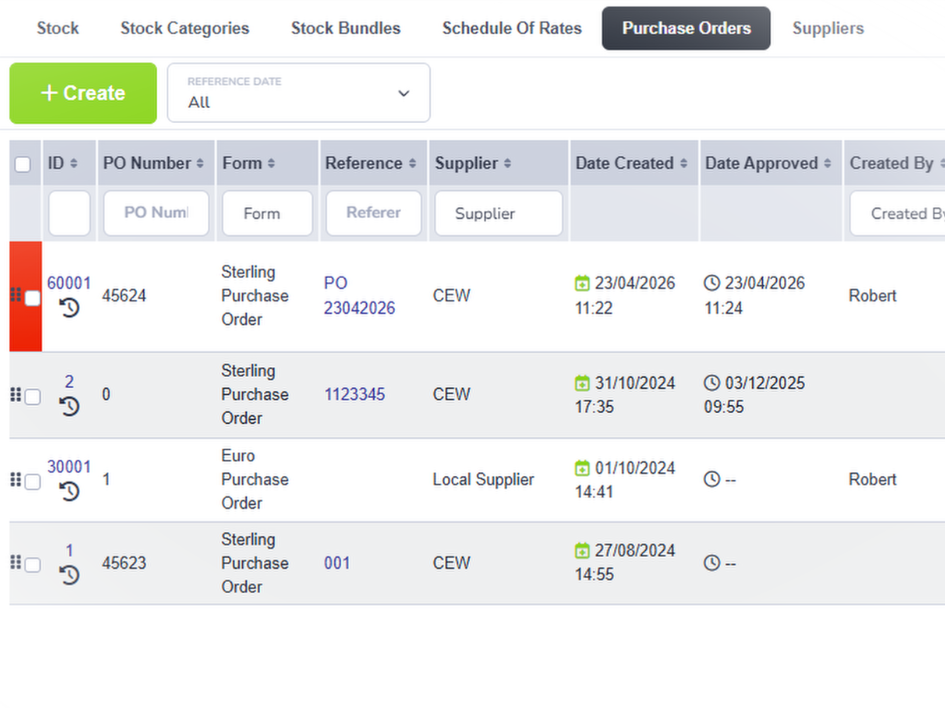
Invoices push to your accounting package automatically. No copy-paste, no manual imports.

cursor
Always Synced

Add a customer in either system and both update. Records stay consistent automatically.

cursor
Stock Reconciled

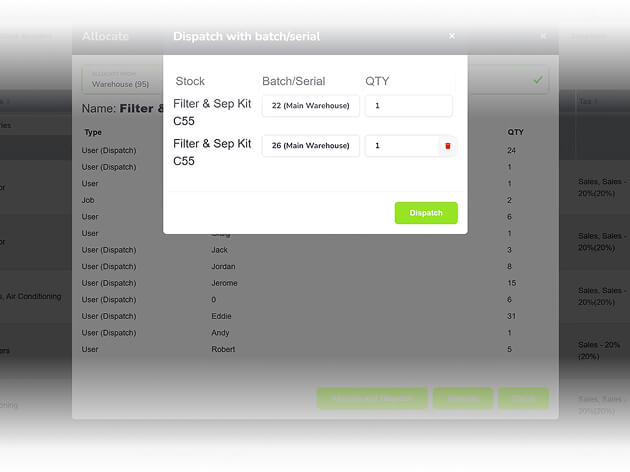
Quantities and values sync with Xero or QuickBooks so your accounts match the warehouse.

cursor
Nominal Codes

Map your existing nominal codes once and every transaction posts to the right place.

WHAT’S INCLUDED

One connection. No spreadsheet workarounds.

Your financial data moves between systems without anyone touching it.

Xero and QuickBooks Integration

Two-way sync keeps customers, invoices, and payments accurate across both systems without anyone manually reconciling them. 

  • ico
    Invoices push to Xero or QuickBooks instantly
  • ico
    Customer records sync both ways automatically
  • ico
    Stock values reconcile on every sync

xero and quickbooks integration

Sage 50 Export and Import

For teams running Sage 50, Fieldmotion supports clean export and import of invoice and customer data in the right format. 

  • ico
    Export invoices to Sage with one click
  • ico
    Import Sage customer data
  • ico
    Map fields to match your Sage accounts
export and import

Open API

Already using a different accounting package? Fieldmotion's open API lets your developers connect to any system your business relies on. 

  • ico
    Full REST API with developer docs
  • ico
    Connect to any ERP or accounting system
  • ico
    Sync invoices, customers, jobs, or all three
open api
Group 1

THE PROCESS

How It Works

  • Connect your accounting package in Fieldmotion.
  • Raise invoices, add customers, and update stock in Fieldmotion as normal.
  • Everything syncs automatically. No exports, no imports, no re-keying.

ROI SNAPSHOT

Quick Estimate of the impact on your Business

Fill in the fields below and generate your custom estimate.

Phone calls, back-and-forth, manual updates

Your Estimated ROI

Based on 230 working days

Fill in your numbers to see where time and money are slipping away.

SOFTWARE INTEGRATIONS

Works with all the tools you already use

  • xero
    Syncs with customers, invoices, and payments
  • quickbooks
    Syncs with customers, invoices, and payments
  • sage
    Syncs with customers, invoices, and payments

CLIENT RESULTS

Our Customers See Real Impact

"Seems to always have a solution for what we want. Cut admin down by a third. Very good and would recommend."
lee-westwood
Lee Westwood

Security Engineer, Choice Fire & Security

  • 0%

    admin reduction

  • 0x

    faster invoicing

  • +0%

    on-time arrival

FAQs

Which accounting packages does Fieldmotion integrate with?

Fieldmotion has two-way live integration with Xero and QuickBooks Online. For Sage 50, Fieldmotion supports export and import of invoice and customer data in a Sage-compatible format. If you use a different package, Fieldmotion's open API supports custom integration with additional development.

Does the integration work both ways?

For Xero and QuickBooks, yes. The integration is two-way. Customers, invoices, and stock values sync in both directions, so changes made in either system are reflected in the other. Records stay consistent even when your accounts team updates something directly in Xero or QuickBooks.

How does stock sync work with accounting software?

When stock is allocated to jobs in Fieldmotion, the quantity and value updates push to your connected accounting package, keeping cost of goods and inventory values accurate. This matters most for businesses that need accurate stock valuations in their accounts at month-end.

Can we map our existing chart of accounts into Fieldmotion?

Yes. During setup, you map your existing nominal codes into Fieldmotion so every transaction posts to the correct account from the start. Your accountant sees clean, correctly categorised data without any post-import tidying.